
Operational Excellence
Top 10 AI Tools for Enterprise Operations in 2026
Rebel Force: Focuses on workflow optimization with measurable ROI and tailored enablement programs.
ClickUp Brain: Centralizes task management and automates team collaboration for faster project completion.
ChatGPT Enterprise: Offers advanced conversational AI with multi-step task execution and custom integrations.
Microsoft Copilot 365: Boosts productivity with AI-powered agents embedded into familiar Microsoft tools.
Notion AI: Turns knowledge bases into dynamic systems, simplifying documentation and task tracking.
Salesforce Einstein: Enhances CRM operations with predictive analytics and ambient intelligence.
HubSpot AI CRM: Automates sales pipelines and customer interactions with AI-driven insights.
Zapier AI: Connects over 8,000 apps, enabling seamless workflow automation without coding.
Miro AI: Combines visual collaboration with AI to streamline brainstorming and workshops.
Coveo: Consolidates enterprise search and ensures accurate, secure AI-generated insights.
Key Features to Consider:
Integration: Tools like Salesforce Einstein and Zapier AI connect with a wide range of platforms.
Scalability: Solutions like ChatGPT Enterprise and Microsoft Copilot cater to businesses of all sizes.
Security: Platforms such as Coveo and Rebel Force prioritize compliance and governance.
Quick Comparison Table
Tool | Focus Area | Integration Capabilities | Scalability | Key Feature |
|---|---|---|---|---|
Rebel Force | Workflow optimization | Custom API connections | Small to large teams | ROI-focused enablement |
ClickUp Brain | Task automation | Native integrations | Flexible for team sizes | Centralized collaboration |
ChatGPT Enterprise | Conversational AI | Custom and API integrations | High concurrency support | Multi-step task execution |
Microsoft Copilot | Productivity tools | Deep Microsoft integration | Enterprise-ready | Familiar tool ecosystem |
Notion AI | Knowledge management | Workspace integrations | Department-wide scaling | Dynamic task tracking |
Salesforce Einstein | CRM and analytics | Salesforce ecosystem | Large-scale operations | Predictive analytics |
HubSpot AI CRM | Sales and marketing | CRM and marketing tools | Team growth adaptability | Lead qualification |
Zapier AI | Workflow automation | 8,000+ app connections | Non-technical friendly | No-code automation |
Miro AI | Visual collaboration | Project tools integration | Teams of all sizes | AI-optimized brainstorming |
Coveo | Enterprise search | 100+ content sources | Flexible pricing tiers | Secure, accurate insights |
These tools are reshaping how enterprises operate, cutting time spent on repetitive tasks by up to 60% and improving decision-making efficiency. Choosing the right platform depends on your specific needs, such as workflow integration, team size, and compliance requirements.
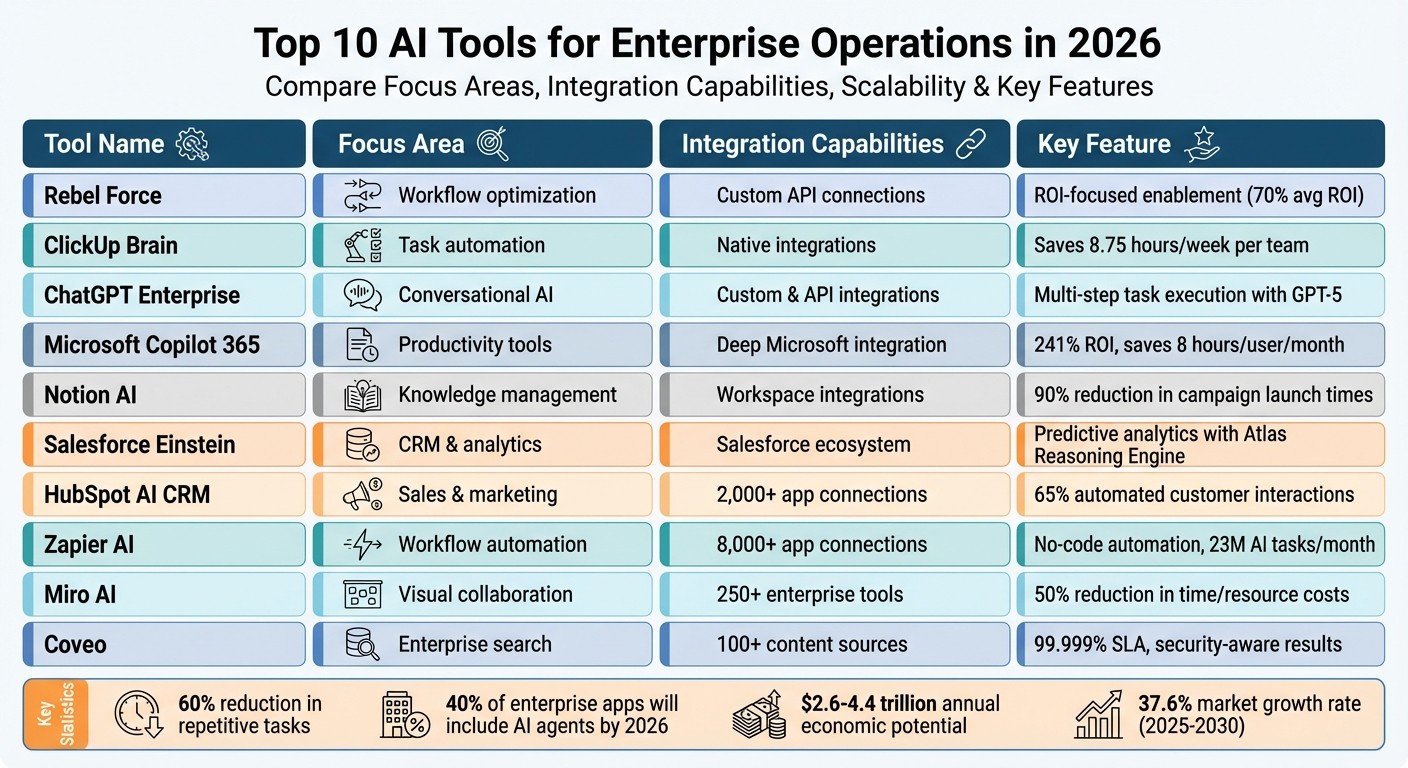
Top 10 AI Tools for Enterprise Operations 2026 Comparison Chart
1. Rebel Force
Operational Focus
Rebel Force tackles operational challenges by rethinking workflows instead of just automating individual tasks. Using CCPM (Critical Chain Project Management) logic, the platform aligns workflows across departments, creating a more cohesive system. Its expertise spans Commercial AI for CRM and marketing automation, Industrial AI for ESG and compliance automation, and AI Data Platforms for workflows and analytics. With more than 220 AI processes implemented and an average ROI of 70%, the platform delivers clear, measurable improvements in operational performance. This approach naturally integrates into existing systems, ensuring a smooth transition.
Integration with Enterprise Systems
Rebel Force doesn't just provide tools - it embeds itself into your team, layering automation and analytics to enable autonomous AI processes after their engagement ends.
"Rebel Force, through their fractional leadership, achieved this by creating a unified approach - from strategy to reporting, all within one integrated system." – Nik Korstanje, (Former) CFO at Blijkgroep
This level of integration makes it scalable and adaptable for organizations of any size.
Scalability for Diverse Team Sizes
Rebel Force offers two tailored models for its clients:
A 12-week Enablement Sprint designed for quick, impactful results.
A 12-month Enablement Program aimed at deeper, structural changes.
Both models are supported by dedicated enablement teams and follow a structured four-phase process: Diagnose, Design, Execute, and Validate. With enterprise-grade security and 99.9% uptime, Rebel Force has already served over 200 clients across a wide range of industries.
Key Differentiating Features for Enterprise Use
Rebel Force stands out by avoiding cookie-cutter solutions. Instead, pricing is tied to optimized workflows, targeted ROI, and overall operational benefits. Its fractional leadership approach provides executive-level AI expertise without the high cost, while its team members each bring over a decade of experience in AI enablement. The structured four-phase process ensures every step is backed by measurable results, with ROI targets clearly defined upfront during the 12-week sprints.
2. ClickUp Brain
Operational Focus
ClickUp Brain transforms how enterprises handle workflow automation and team collaboration. Acting as a central intelligence hub, it uses AI to assign tasks based on team expertise and workload, automatically tracks progress, and prioritizes tasks with the highest impact. Its AI agents, like Deadline Guardians and Quality Checkers, handle tasks autonomously - no coding required. This setup saves teams an average of 8.75 hours per week while completing tasks up to three times faster. These efficiencies are further amplified by its seamless integration with existing systems.
Integration with Enterprise Systems
ClickUp Brain excels in connecting enterprise platforms, creating a unified data ecosystem. Its search functionality spans tools like Salesforce, Jira, Slack, GitHub, Figma, and HubSpot, delivering instant answers without the need to switch applications. The AI system continuously learns from workspace activity, linking tasks, documents, and team members into a dynamic knowledge base. Dayana Mileva, Account Director at PONTICA SOLUTIONS, highlights its impact:
"ClickUp not only allows us to stay lean - it also enables us to stay informed, deliver innovation, and create added value for our clients".
Scalability for Diverse Team Sizes
ClickUp Brain adapts to teams of all sizes, using capacity analysis and workload-based task distribution to maximize resource efficiency. For global operations, it offers contextual translation and localization, making communication smoother across languages. By consolidating multiple AI tools into one platform, enterprises save up to 88% on costs, aligning with the push for streamlined workflows. Pricing starts at $7.00 per user, per month as an add-on for paid plans, with custom options available for enterprises needing advanced features like SSO and HIPAA compliance.
Key Differentiating Features for Enterprise Use
ClickUp Brain is built with security and compliance at its core. It holds ISO 42001 certification, ensuring responsible AI management, and guarantees that third-party AI providers neither train on nor retain user data. The platform also meets SOC 2 Type II, GDPR, and HIPAA standards. Supporting premium language models like GPT-4 and Claude within a single interface, it maintains unified permissions and security controls. With an impressive 4.7/5 rating on G2 from over 9,000 reviews and 4.6/5 on Capterra from over 4,000 reviews, users consistently highlight its effectiveness in centralizing project and knowledge management.
3. ChatGPT Enterprise
Operational Focus
ChatGPT Enterprise is designed to address key automation challenges in areas like revenue operations, customer support, procurement, financial forecasting, and software engineering. A standout feature is its Agent Execution capability, which enables multiple AI agents to handle complex, multi-step tasks instead of just single-turn interactions [23, 24]. This functionality bridges fragmented data by leveraging business context to connect data warehouses, CRM tools, and internal applications, effectively creating a shared knowledge base for teams.
In February 2026, Elena Alfaro, BBVA's Head of Global AI Adoption, shared that implementing GPT-5 within ChatGPT Enterprise allowed her team to complete a strategic automation task in just a few hours - a process that previously took two to three weeks. Additionally, the model demonstrated double the speed of earlier versions while improving accuracy in Spanish-language tasks. This operational efficiency seamlessly integrates into broader system workflows.
Integration with Enterprise Systems
The platform connects with major tools like Salesforce, HubSpot, Jira, ServiceNow, Snowflake, and BigQuery, enabling direct updates and streamlined workflows without needing to switch between applications. Businesses can also create private custom apps using the OpenAI Apps SDK or leverage Model Context Protocol (MCP)-based apps to incorporate proprietary data. This integration approach builds institutional memory, setting it apart from other solutions.
For example, the Minnesota Enterprise Translations Office, led by Adam Taha, adopted ChatGPT to manage over 3,000 workflow requests and translate more than 2 million words. This shift cut project turnaround times from one month to under 48 hours, saving the organization over $100,000.00 per month. Such integrations showcase the platform’s ability to scale across different team sizes and industries.
Scalability for Diverse Team Sizes
ChatGPT Enterprise offers features like centralized administration, bulk user management, SSO via SAML, and SCIM for automated seat assignments [26, 30, 31, 33]. The Groups feature allows administrators to control access and permissions at the team or department level [26, 33]. Early adopters of the 2026 version include companies like HP, Intuit, Oracle, State Farm, Thermo Fisher, and Uber.
By early 2026, ChatGPT had over 5 million business users across a wide range of industries. Surveys revealed that 98% of employees in organizations using ChatGPT Enterprise preferred the platform [25, 32]. Additionally, it delivered a 10× boost in the speed of generating product insights from R&D efforts, with 83% of enterprise workspace users engaging weekly [25, 32].
Key Differentiating Features for Enterprise Use
ChatGPT Enterprise stands out by combining integrated automation with scalable solutions to deliver measurable benefits. Built on the OpenAI Frontier platform (launched February 5, 2026), it supports large-scale AI agent management with structured onboarding and evaluation processes. The platform adheres to strict security standards, holding SOC 2 Type II, ISO/IEC 27001, and CSA STAR certifications. Its Agent Identity & Access Management feature reduces the risk of over-permissioning.
For encryption, Enterprise Key Management (EKM) integrates with AWS, GCP, and Azure, giving organizations full control over their encryption keys. Powered by GPT-5, the 2026 version is 45% less prone to factual inaccuracies compared to GPT-4o. Pricing is based on an enterprise sales model, with custom rates determined by active agents, connected data volume, and API usage.
4. Microsoft Copilot 365

Operational Focus
Microsoft 365 Copilot is reshaping enterprise operations by simplifying workflows and boosting teamwork through its AI-powered agents. The Researcher agent gathers insights from both internal data and web sources, while the Analyst agent tackles complex analytics and identifies trends. Meanwhile, Copilot Pages transforms AI-generated responses into editable workspaces, fostering dynamic collaboration.
The platform's Work IQ feature personalizes assistance based on specific job roles and organizational needs, making support more relevant and effective. For example, in March 2025, Aberdeen City Council, under the leadership of Andy MacDonald, Executive Director of Corporate Services, adopted Microsoft 365 Copilot. This move resulted in a projected ROI of 241% and annual savings estimated at $3M. This kind of operational efficiency makes Copilot an excellent fit for integrating into enterprise systems.
Integration with Enterprise Systems
Microsoft 365 Copilot integrates effortlessly with Microsoft 365 apps and connects to over 100 third-party data sources. This includes CRM platforms like Salesforce and Dynamics 365, which help streamline tasks such as lead management.
A great example is Vodafone's Legal and Business Integrity Team. In 2025, led by Hazel Butler, the team implemented Microsoft 365 Copilot to automate contract reviews. This change saved each team member an average of 4 hours per week. Butler shared:
"Microsoft 365 Copilot has helped us … to provide more accurate and speedy contract reviews and turnaround times."
This level of integration and connectivity allows Copilot to adapt to businesses of all sizes, offering substantial time savings and efficiency.
Scalability for Diverse Team Sizes
Microsoft 365 Copilot is designed to scale easily, whether for small businesses or global enterprises. Its flexible pricing starts at $30.00 USD per user per month annually or $31.50 USD with monthly billing. By using Copilot, businesses can save over 8 hours per user each month and reduce new employee onboarding time by 20%. A Forrester Consulting study even projected an ROI of over 100%, with a potential payback period of just 10 months.
The platform also includes tools for IT management, like the Copilot Control System, which centralizes license management, ROI tracking, and security policy enforcement. Additionally, Copilot Studio, a low-code platform, enables teams to create custom AI agents for specific tasks such as sales qualification or account reconciliation.
Key Differentiating Features for Enterprise Use
As of February 2026, Microsoft 365 Copilot offers priority access to GPT-5 models, featuring options like "Quick response" for routine tasks and "Think deeper" for handling more complex challenges. Security remains a top priority, with Microsoft 365's robust privacy, compliance, and encryption standards ensuring data protection both at rest and in transit. Tenant data is also kept isolated to maintain confidentiality.
Paul Greenwood, Chief Technology Officer at Clifford Chance, highlighted the benefits:
"Copilot helps our lawyers to focus more time on delivering deeper, value-added insights and the strategic input that really matters to clients."
To deploy Copilot, businesses must hold a qualifying Microsoft 365 or Office 365 license, making it a seamless addition to existing Microsoft ecosystems.
5. Notion AI
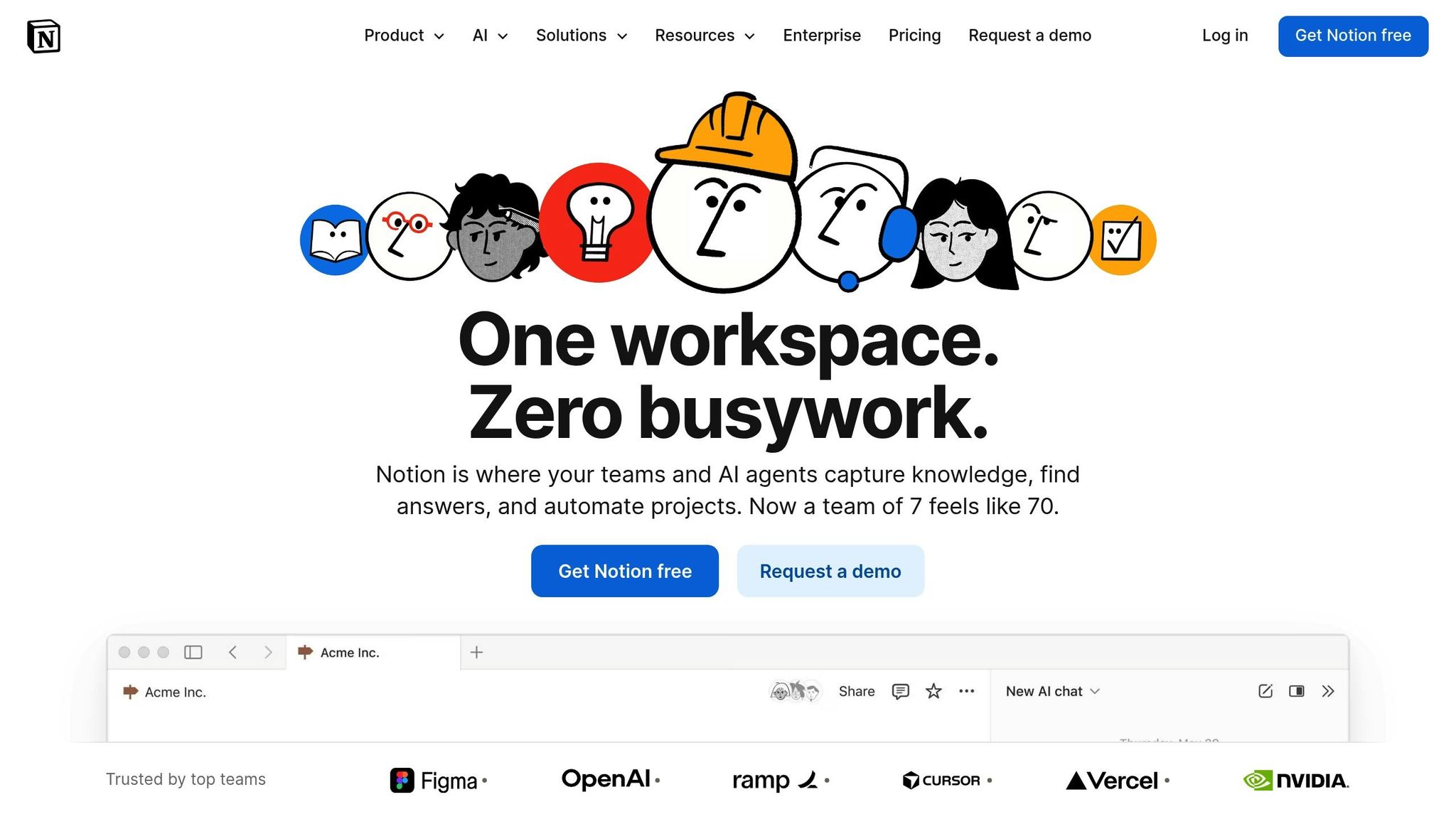
Operational Focus
Notion AI has shifted from being a simple note-taking app to a powerhouse for task management and automation, functioning as a full-fledged business operating system. By using database-centric automation, it processes structured data like task status, priorities, and deadlines to streamline workflows. For example, it can automatically flag overdue tasks or assign leads based on project types.
This tool turns static knowledge bases into dynamic systems, scanning meeting notes, project databases, and even Slack threads to produce clear status reports. Companies using AI-powered workspaces in Notion have reported impressive results: a 90% reduction in campaign launch times and a near-total elimination of time spent on manual status updates. Scott Entwistle, Senior Recruiter at Remote, highlighted its impact:
"Notion AI is saving new employees days, if not weeks, of their onboarding to be able to find information quickly and learn from it."
This evolution makes it a seamless fit for integration with everyday enterprise tools.
Integration with Enterprise Systems
Notion AI connects with major platforms like Slack, Gmail, Google Drive, Jira, GitHub, and Microsoft Teams, enabling it to gather and synthesize information across these tools in seconds. For instance, if you ask, "Where are we with the newest lead magnet?", the AI can pull relevant data from multiple sources almost instantly.
Security is a top priority during these integrations. Notion AI respects third-party permissions, ensuring users only access data they are authorised to view. It even provides citations for the specific messages or files it references. John Allard from OpenAI's Engineering team shared:
"What used to take hours of debugging can now be solved in minutes just by asking Notion AI."
Scalability for Diverse Team Sizes
Notion AI is built to scale with teams of any size. Pricing for the AI add-on starts at $10.00 per member per month, while the full suite - including search, a chatbot, and a writing assistant - begins at $20.00 per user. This is significantly more cost-effective compared to an estimated $150.00 per user for a stack of separate tools offering similar features.
Users can select from models like GPT-5.2, Claude Opus 4.5, Gemini 3, or let Auto mode pick the best one for their needs. Enterprise administrators also benefit from an analytics dashboard that provides insights into AI usage and ROI. Recent updates have improved performance, with page load speeds increasing by 27% on Windows and 11% on Mac as of early 2026.
Key Differentiating Features for Enterprise Use
Notion AI stands out with its advanced features tailored for enterprise users. It earned an 8.6/10 rating from independent AI judges and holds the top spot on G2. The platform’s Research Mode can conduct multi-step research across both internal workspaces and the web, delivering detailed, shareable reports. By 2026, it supports multi-agent orchestration, enabling specialised roles in departments like Sales, Content, Operations, and HR - tasks like auto-publishing content or flagging budget issues are handled with ease.
Security is another strong point. The platform complies with SOC 2 (Type 2), ISO 27001, and GDPR/CCPA standards, and offers a zero data retention policy for Enterprise users. Matthias Lambrecht, Product Owner at ecosio, summed up its impact:
"We're getting at least a day back every week! It quickly processes knowledge, provides accurate answers and allows us to draft new content or initiate other tasks within seconds."
6. Salesforce Einstein
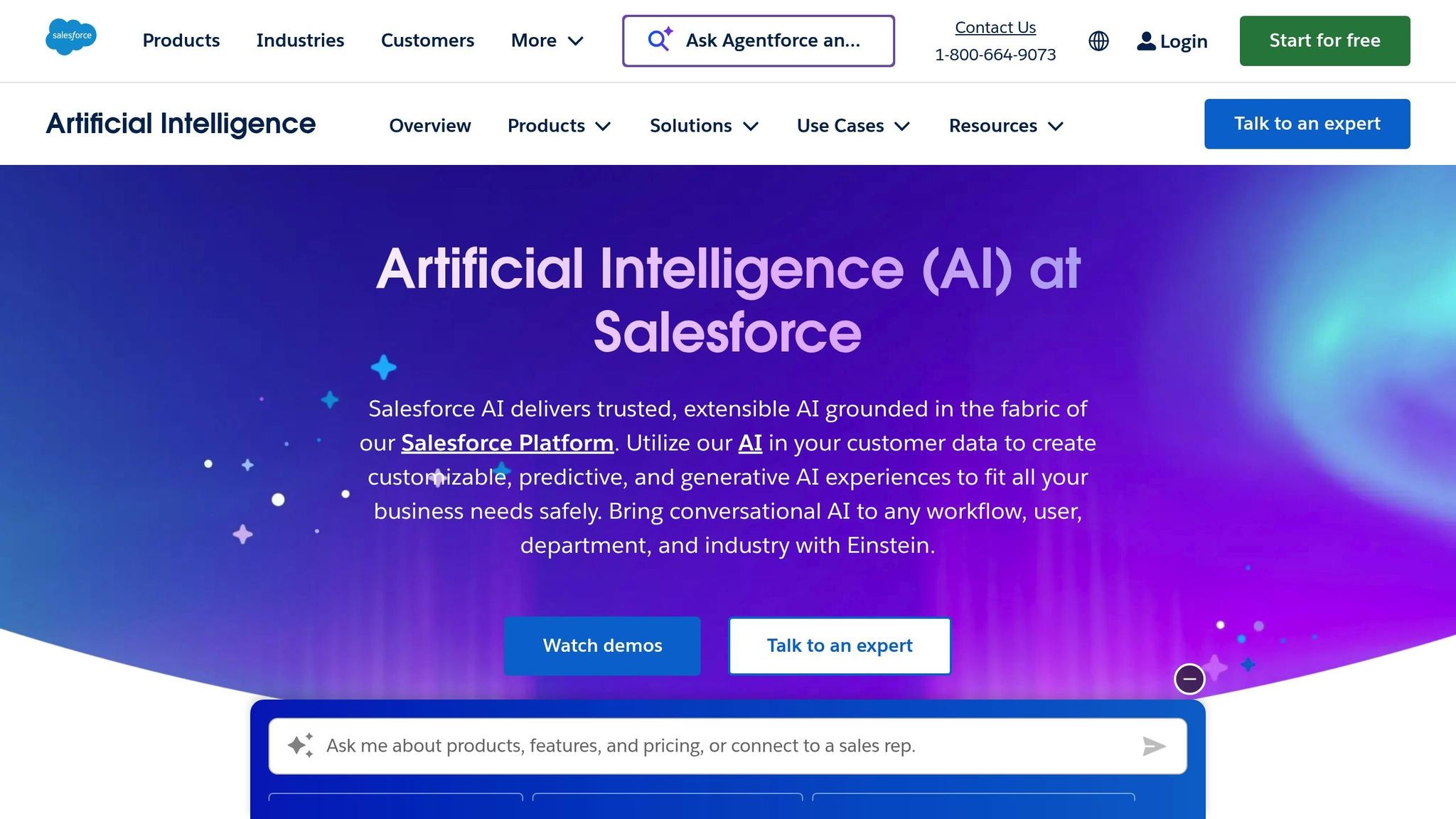
Operational Focus
Salesforce Einstein takes workflow automation and predictive analytics to a new level with its Atlas Reasoning Engine. This core system empowers AI agents to grasp user intent, assess relevant data, and carry out multi-step processes without constant human involvement. Instead of merely automating tasks, it introduces ambient intelligence - AI that actively provides insights and takes action within workflows without needing prompts.
Einstein’s capabilities extend across various operations, offering real-time predictions tailored to sales, marketing, and commerce. For sales teams, it provides tools like lead scoring and deal guidance. Marketing teams benefit from engagement insights, while commerce operations can access product recommendations - all seamlessly integrated into existing workflows.
"The combination of AI, data, and CRM allows us to help busy parents solve the 'what's for dinner' dilemma with personalized recipe recommendations their family will love."
Heather Conneran, Director of Brand Experience Platforms at General Mills, highlighted how these tools create meaningful customer experiences. This level of functionality ensures smooth integration into daily operations.
Integration with Enterprise Systems
Einstein’s strength lies in its ability to integrate smoothly with various enterprise systems. Using the Agentforce 360 Platform, it employs MuleSoft APIs to pull data from older systems, unifying fragmented information across organizations. Familiar tools like Flows, Apex code, and MuleSoft integrations allow teams to transform workflows into AI-driven processes, enabling actions like triggering updates and managing records across departments.
Success stories highlight Einstein's impact across industries. Absa Bank Group implemented a Fraud & Debit Order Agent in just five weeks, reducing turnaround times for debit order reversals by 88% and achieving a 50% resolution rate for fraud cases. In Brazil, iFood introduced "Diana", a WhatsApp Sales Agent, which boosted conversion rates from cold leads by 2.7%, outperforming human representatives by 5–7×. Southwest Airlines also benefited by deflecting 20% of its 20 million annual customer service requests, significantly easing call volumes. These examples demonstrate Einstein’s ability to enhance efficiency and streamline operations.
Scalability for Diverse Team Sizes
Einstein adapts to teams of all sizes, offering flexible pricing options to suit different needs. From free entry-level access through Salesforce Foundations to per-conversation billing, Flex Credits, or traditional per-user licensing, the platform supports a wide range of operations. It has already managed over 1 million support requests, proving its scalability.
For instance, Williams-Sonoma launched an AI agent in just 28 days, automating more than 60% of chat inquiries. Smartsheet employees save an average of 54 minutes daily thanks to integrated AI tools, while the median time to resolve customer issues has dropped by nine days.
Key Differentiating Features for Enterprise Use
Einstein stands out with its Einstein Trust Layer, which ensures secure handling of sensitive information. Features like dynamic grounding, zero data retention, and personal data (PII) masking allow enterprises to harness large language models without risking customer data .
"Business requires 99% [consistency]. Technology and business leaders will stop asking 'Can this AI system be impressive?' and start demanding 'Can this AI system be reliably excellent across our specific business context?'"
Silvio Savarese, Executive Vice President and Chief Scientist at Salesforce AI Research, underscored the importance of reliability.
Einstein achieves this through rigorous simulation-based training. AI agents are tested in synthetic environments before deployment, ensuring high performance. For example, a pilot with UCSF Health saw 88% task coverage using this approach, far exceeding the 60–70% typically achieved by traditional methods .
7. HubSpot AI CRM
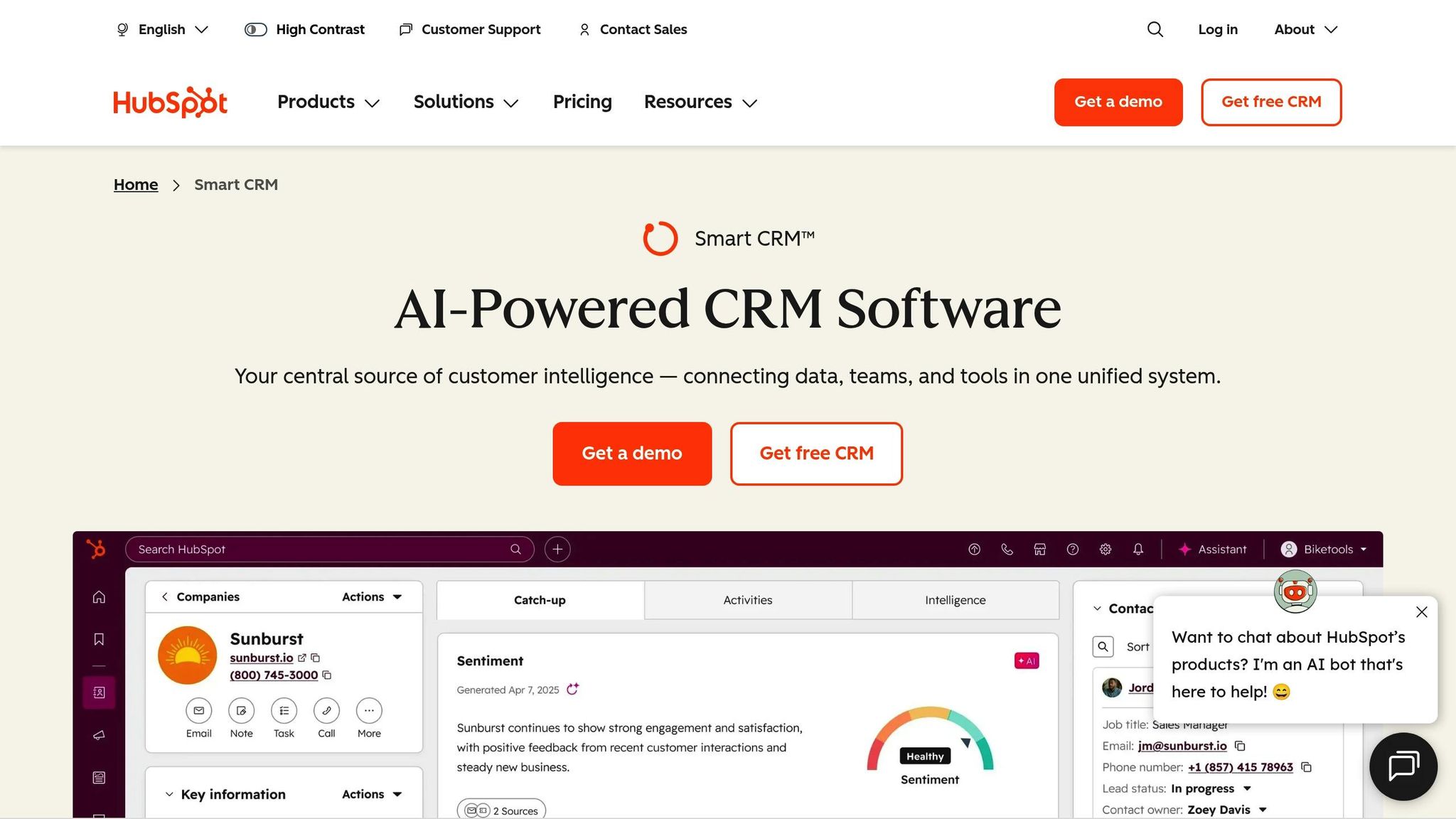
Operational Focus
HubSpot's strength lies in its Breeze suite, a collection of AI agents designed to simplify workflows in marketing, sales, and service operations. Breeze includes four main agents:
Data Agent: Analyzes CRM records, calls, and documents to uncover actionable insights.
Prospecting Agent: Handles account research and drafts outreach communications.
Customer Agent: Resolves over 65% of customer interactions automatically.
Content Agent: Simplifies the creation of marketing materials [64, 62].
In 2026, HubSpot introduced the Run Agent Workflow Action, enabling businesses to trigger AI agents automatically during key CRM events, such as form submissions or changes in deal stages. This feature, currently in private beta, adds another layer of automation. Additionally, Breeze Studio agents upgraded to GPT-5 in January 2026, offering improved reasoning capabilities, better context awareness, and more reliable multi-step planning.
The impact of these tools has been substantial. For example, Bloom Technical CEO Jude Brown shared that tasks previously requiring 20 hours per week now take just 1 hour. Companies like Agicap saved 750 hours weekly while boosting deal velocity by 20%. Kaplan saw a 30% reduction in customer service response times, and Sandler achieved 25% more engagement and quadrupled sales leads through personalized experiences.
Integration with Enterprise Systems
HubSpot's Smart CRM acts as a unified data hub, merging structured data, conversations, and external signals to eliminate silos [57, 63]. For enterprises managing large-scale data, the platform's Data Hub offers bi-directional syncing with major systems like Snowflake, BigQuery, Databricks, SAP, NetSuite, and AWS [59, 63]. Additionally, HubSpot connects with over 2,000 business applications via its Marketplace.
"Thanks to HubSpot, because we don't have everything dispersed across systems, we're able to give the customer a much better experience." – Elisabeth Norberg, Revenue Operations Manager
Fuelius, an Elite Solutions Partner, developed a custom onboarding agent using HubSpot, saving 200 hours per client and generating $200,000 in additional revenue through time reallocation. This seamless integration ensures consistent and scalable enterprise adoption.
Scalability for Diverse Team Sizes
HubSpot's pricing model accommodates teams of all sizes, with subscription options ranging from Free ($0.00) to Starter ($15.00–$20.00), Professional ($50.00), and Enterprise ($75.00) per seat per month. AI features operate on a credit-based system:
100 credits per Customer Agent conversation.
100 credits per monitored contact for the Prospecting Agent each month.
10 credits per Data Agent query.
10 credits per Breeze workflow action.
Additional credits can be purchased for approximately $45.00 per 5,000 credits.
The platform's ease of use is another standout feature - 93% of users engage with it daily, and 87% report it as user-friendly, significantly reducing the time needed to transition from legacy CRMs [57, 63]. Advanced features like SSO/SCIM provisioning, two-factor authentication, sandbox testing, and detailed field-level permissions further enhance its scalability for enterprises [57, 63].
Key Differentiating Features for Enterprise Use
What sets HubSpot apart is its ability to combine operational efficiency with transparency. Unlike standalone AI tools, Breeze AI is embedded within the Smart CRM, leveraging real customer data for more accurate outputs [65, 66]. In early 2026, HubSpot introduced audit cards that provide detailed records of AI actions, such as which CRM properties were modified and the logic behind decisions like lead qualification or customer identification.
"AI removes rudimentary, time-consuming tasks - but also unlocks better outcomes. It helps us extract insights faster, accelerate differentiation, and deliver better experiences for customers." – Eve Sangenito, Principal at Perficient
The results speak for themselves: a 40% increase in client capacity using existing resources, a 60% reduction in non-billable work, and a 35% boost in operational efficiency. Moreover, 84% of business leaders report improved forecasting accuracy thanks to AI technologies. These advancements align directly with enterprise objectives, enabling better forecasting and stronger customer engagement.
8. Zapier AI
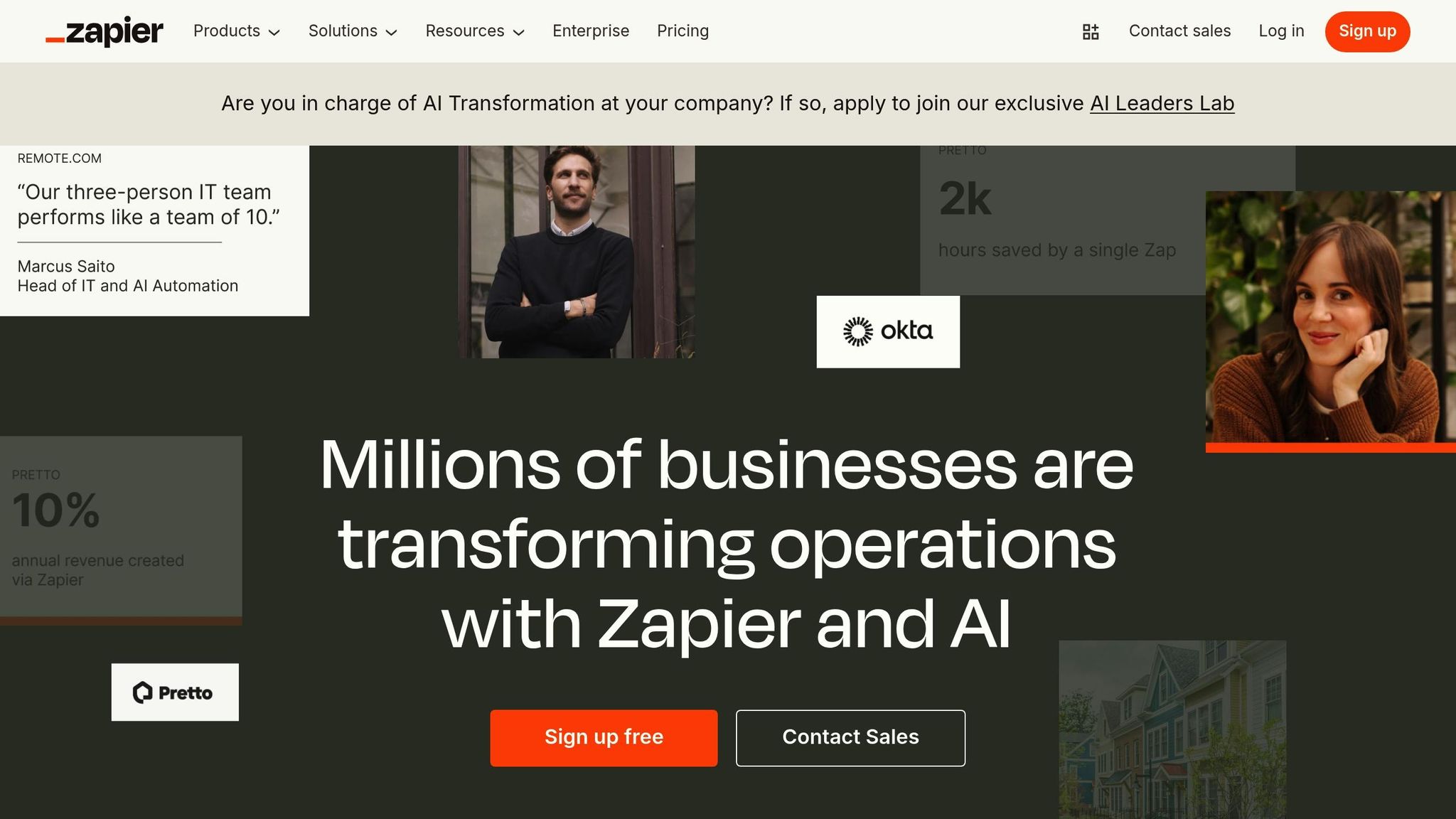
Operational Focus
By 2026, Zapier has shifted gears to become a full orchestration platform, managing systems, teams, and a variety of AI models seamlessly. With the capability to handle 23 million AI tasks each month and connect with over 8,000 apps, Zapier has solidified its position as a key player in enterprise automation. Its hybrid approach blends rule-based logic with AI-driven steps, ensuring dependable performance in demanding enterprise settings.
The platform's AI Copilot is a game-changer for non-technical users, enabling "citizen automators" to build intricate business systems using natural language. This eliminates the bottleneck caused by long engineering backlogs. For instance, Megan Tsang, Marketing Operations Manager at Grammarly, used Zapier to streamline lead routing from LinkedIn ads to their CRM. This resulted in an 87% drop in lead sync errors and saved the Support Ops team six hours daily by automating manual data entry. Similarly, Jacob Sirrs, Marketing Operations Specialist at Vendasta, created an AI-powered lead enrichment system with Zapier. His initiative recovered $1 million in pipeline revenue and saved 282 days of manual work annually.
"With Zapier, I can just block off an hour and figure it out myself. We've been able to scale our operations while staying lean." – Megan Tsang, Marketing Operations Manager, Grammarly
These examples highlight how Zapier's capabilities simplify operations while delivering measurable results.
Integration with Enterprise Systems
Zapier’s ecosystem is vast, integrating over 400 AI tools and supporting the Model Context Protocol (MCP). This allows enterprises to trigger actions directly from platforms like ChatGPT, Claude, or Cursor. Businesses can effortlessly switch between AI models from providers like OpenAI, Anthropic, Google (Gemini), and open-source options - all within a single workflow.
For secure data handling, Zapier offers VPC Peering, enabling connections to internal, firewall-protected data sources. Its enterprise-grade security framework includes SOC 2 Type II, SOC 3, GDPR, and CCPA compliance. IT teams can maintain control using SSO (SAML 2.0) and SCIM provisioning. At Remote.com, Marcus Saito, Head of IT and AI Automation, built an AI-powered IT helpdesk using Zapier. This system resolved 28% of IT tickets automatically, saving $500,000 in hiring costs and automating over 2,200 workdays monthly.
Scalability for Diverse Team Sizes
Zapier’s flexibility allows it to scale to meet the needs of businesses of all sizes. It’s trusted by 87% of the Cloud 100 companies. The platform’s pricing is designed to suit various requirements: Professional plans start at $19.99 per month (billed annually), Team plans at $69.00 per month, while Enterprise plans offer custom pricing with unlimited users and dedicated technical account management. At Toyota of Orlando, Zapier AI Agents helped manage over 30,000 lead records, saving the operations team more than 20 hours each week. Meanwhile, Remote.com scaled its operations by automating over 11 million tasks in a single year, showcasing Zapier’s ability to handle large-scale demands.
"Zapier makes our team of three feel like a team of ten." – Marcus Saito, Head of IT and AI Automation, Remote.com
Key Differentiating Features for Enterprise Use
Zapier prioritizes governance and reliability, making it a standout choice for enterprise use. The platform includes human-in-the-loop controls, such as integrated Slack approval steps, allowing employees to review AI-generated outputs before finalization. This feature is particularly critical, as 83% of enterprise leaders agree that AI error rates must stay below 5% for high-stakes operations.
Zapier’s Canvas tool simplifies debugging by providing a visual layout for complex, multi-step AI workflows. Additionally, centralized audit logs ensure full transparency, making compliance audits straightforward. At Okta, Korey Marciniak, Senior Manager of Customer Support Strategy and Operations, implemented a custom Slack escalation bot using Zapier. This innovation shaved 10 minutes off every support ticket, with 13% of escalations now handled through automated workflows.
"Zapier lets us spin up and test automations in hours, not full engineering sprints." – Korey Marciniak, Senior Manager of Customer Support Strategy and Operations, Okta
9. Miro AI
Operational Focus
In January 2026, Miro AI introduced Collaborative AI Workflows, reshaping how enterprises approach brainstorming, strategy development, and automation. By leveraging visual context processing, the platform analyzes on-canvas elements like process maps, sticky notes, and research findings to generate AI-driven outputs - no manual input required.
Miro AI is built around two main features: Sidekicks, conversational AI agents that collaborate with teams, and Flows, visual workflows that guide multi-step processes while keeping humans in control. These tools allow teams to turn chaotic brainstorming sessions into structured outputs like strategy documents, roadmaps, and prototypes in no time. For instance, Swiss design company FREITAG used Miro AI Workflows during an ERP replacement project in early 2026. The results? A 50% cut in time and resource costs, an 80% boost in data analysis speed, and workshop evaluation times reduced from weeks to just days.
"Using AI directly in a collaborative workspace brings big gains. AI Workflows helped us to achieve a 50% reduction in time and resource costs, as well as improving the speed of data analysis by 80%." – Rainer Grau, Managing Director, Smart System Guild
These workflows are designed to seamlessly integrate into existing enterprise systems, making collaboration and automation more efficient than ever.
Integration with Enterprise Systems
Miro connects with over 250 enterprise tools and supports multiple AI models, including those from OpenAI, Anthropic, and Google. Users can choose the most suitable model for specific tasks - such as GPT-5 or Claude 4.5 - within Miro’s unified workspace. The platform also ensures AI outputs are grounded in real company data by integrating with systems like Microsoft Copilot, Glean, Gemini Enterprise, and Amazon Q. After workshops, teams can automatically send action items to tools like Asana or Jira, streamlining execution. For example, global consulting firm EPAM used Miro’s AI Workflows and Sidekicks in early 2026 to speed up product discovery, reducing the time needed to move from ideas to tested hypotheses from months to weeks.
This level of integration ensures Miro AI can adapt to a wide range of enterprise needs, enhancing productivity across various workflows.
Scalability for Diverse Team Sizes
As of early 2026, Miro supports over 100 million users across 250,000 customers. The platform operates on a credit-based model with monthly allocations tailored to different plans, including Free, Starter, Business, Enterprise, and Education tiers. High-volume users can also purchase add-ons for additional capacity. Enterprise customers benefit from Enterprise Guard, which offers advanced security features and centralized account management, making it easier to scale AI usage across thousands of users.
Key Differentiating Features for Enterprise Use
Miro AI stands out by combining visual collaboration with AI-powered process optimization. The platform ensures transparency by displaying all AI actions on a shared canvas, allowing teams to collaborate in real-time. Its APIs and SDKs also enable enterprise teams to create custom solutions and integrate them seamlessly into their existing tech stacks. Early adopters have seen innovation cycles shrink from weeks to hours, and 82% of business leaders have expressed a preference for AI tools that enhance team productivity rather than focusing solely on individual tasks.
"Teams shouldn't have to choose between AI and collaboration. Collaborative AI Workflows lets teams work with AI the same way they work with each other - visually, in real-time, on a shared canvas where everyone can contribute." – Jeff Chow, Chief Product and Technology Officer, Miro
10. Coveo
Operational Focus
Coveo tackles a big issue in enterprise operations: disconnected systems. Employees often lose hours juggling between 4–6 data sources, with 47% expressing frustration over poorly integrated digital tools. Coveo solves this by merging content from over 55 sources into a single, unified search index.
The platform focuses on four key operational areas:
Customer service: Case Assist improves ticket creation and reduces case submissions, cutting support costs. For example, SAP Concur saw a 31% drop in case submissions for every 1,000 search sessions.
Workplace productivity: By addressing poor information access, companies like Adobe saved over 231,000 employee hours in just one year.
E-commerce: Features like Intent-Aware Product Ranking and Session-Based Recommendations personalise shopping experiences in real-time.
Conversational AI: Relevance Generative Answering ensures responses are accurate and grounded in enterprise data. This avoids the "hallucinations" that 49% of employees have experienced with generic AI tools.
These capabilities streamline operations and create smoother enterprise integrations.
Integration with Enterprise Systems
Coveo integrates with over 100 content sources, offering native connections to platforms like Salesforce, SAP, and Adobe. It holds high-level partnerships, including Salesforce Summit ISV Partner, SAP Endorsed App, and Adobe Gold Partner. What makes Coveo stand out is its security-aware results, which respect existing enterprise permission settings so users only access authorized content.
The platform’s API-first design, combined with the Coveo Headless toolkit, enables developers to craft custom solutions for any web framework. Features like the Passage Retrieval API and Hosted MCP Server ensure AI agents and copilots rely on verified enterprise data. With a 99.999% SLA resilience and certifications like ISO 27001, HIPAA compliance, and SOC2 compliance, Coveo is well-suited for industries with strict regulations, such as healthcare and finance.
"If the user experience is the body and content is the blood, the Coveo platform is our central nervous system." – Jeff Harling, Head of Digital Support, Zoom
These integrations ensure Coveo scales efficiently across various enterprise needs.
Scalability for Diverse Team Sizes
Coveo is built to support teams of all sizes, whether they’re tech-savvy or not. Business users can quickly implement solutions using no-code builders, while developers have access to APIs and Headless toolkits for more complex customisation. For instance, SAP achieved an 83.5% self-service success rate with Coveo’s AI-driven search strategy. The platform’s usage-based pricing model allows flexibility, with tailored enterprise pricing available via custom quotes.
Key Differentiating Features for Enterprise Use
Coveo’s standout feature is its ability to act autonomously. It doesn’t just retrieve information - it performs multi-step tasks based on retrieval-grounded actions. Recent updates include structure-aware chunking and Markdown processing, which preserve document formatting during ingestion, enhancing the precision of generative answers. The upcoming Fall 2025 migration to Amazon Bedrock and the Agentforce 2.0 integration will further improve AI grounding with verified enterprise data.
"What sets Coveo apart is the relevancy, accuracy, and transparency of every answer." – Laurel Poertner, Senior Director, Digital Services, F5 Networks
AI-Powered Business Operations Strategies for End-to-End Transformation
Tool Comparison Table
Selecting the best AI tool for your business hinges on understanding your operational priorities, existing technology infrastructure, and future goals. The table below provides a side-by-side comparison of various platforms, focusing on four key aspects: operational focus, integration capabilities, scalability, and enterprise advantages.
Tool | Operational Focus | Integration Capabilities | Scalability | Enterprise Benefits |
|---|---|---|---|---|
Rebel Force | Data-driven systems, AI integration, process optimization | Custom integrations; API-level connections | Flexible programs (12-week sprints or annual) | Delivers measurable ROI with a structured 4-phase process |
ClickUp Brain | Project management, task automation, timeline optimization | Native integration with ClickUp tasks and documentation | Adapts to team size; predicts project delays | Streamlines workflows and minimizes manual tracking |
ChatGPT Enterprise | Conversational AI, content generation, decision support | API integration with custom systems | High concurrency; unlimited usage tiers | Boosts productivity with secure data handling and custom model training |
Microsoft Copilot 365 | Productivity and office operations | Deep integration with M365, Azure AI, and Copilot Studio | Leverages enterprise data for high scalability | Automates workflows within the familiar Microsoft ecosystem |
Notion AI | Knowledge management, documentation, content creation | Built into the Notion workspace | Scales across departments, enhances collaboration | Centralizes knowledge and speeds up documentation |
Salesforce Einstein | CRM automation, customer service, sales operations | Native integration with Sales and Service Clouds | Automates case resolution and routing | Reduces CRM data entry and improves customer response times |
HubSpot AI CRM | Sales pipeline automation, lead management | Integrates with sales and marketing tools | Expands with sales team growth | Simplifies CRM data entry and enhances lead qualification |
Zapier AI | Workflow automation across apps | Connects 6,000+ apps; activity-based automation | Ideal for non-technical users | Links disparate systems without coding |
Miro AI | Visual collaboration, brainstorming, workshops | Integrates with project and communication tools | Supports teams of all sizes | Improves remote collaboration and accelerates idea generation |
Coveo | Enterprise search, knowledge discovery, conversational AI | Integrates with 100+ content sources; partners with Salesforce, SAP, Adobe | Usage-based pricing; scales from small to enterprise | Reduces information access time with security-focused results |
By 2026, 40% of enterprise applications are expected to include task-specific AI agents, a sharp increase from less than 5% in 2024. This rapid growth highlights the importance of choosing tools with robust API-level integration to prevent data silos. Companies adopting enterprise AI platforms report an average 40% boost in operational efficiency within the first year.
The evolution from generative AI to agentic AI is shifting the focus from simple information retrieval to task execution. For example, Microsoft Copilot and Salesforce Einstein excel at automating complex workflows, while tools like Zapier AI and Rebel Force streamline processes across entire operations. Multi-agent workflows have surged by over 300% as businesses move from testing to full-scale implementation.
For organizations with strict compliance needs, prioritizing tools with certifications like SOC 2, ISO 27001, and HIPAA is essential. Platforms such as Coveo, with its security-aware features, and Rebel Force, with its structured validation process, ensure adherence to governance standards while delivering tangible business results.
Conclusion
AI tools have shifted from being experimental to becoming a core part of business operations in 2026. Today, nearly 40% of enterprise applications include task-specific AI agents - a massive leap from less than 5% just a year ago. This shift is freeing up human talent, allowing teams to focus on strategic, high-impact work instead of repetitive tasks.
The economic potential of generative AI is staggering, with projections estimating it could contribute between $2.6 trillion and $4.4 trillion annually to the global economy. Organizations adopting structured AI workflows are already seeing 30–50% faster cycle times. CFOs are taking note, with 25% of total AI budgets now allocated specifically to AI agents. The enterprise AI market is on track to grow at an annual rate of 37.6% between 2025 and 2030, proving that early adopters are reaping measurable financial rewards. However, these gains depend heavily on disciplined execution.
Success with AI is about more than just the numbers. Trantor Inc. puts it perfectly:
"AI automation is not a shortcut. It is an operating model".
The organizations achieving the most transformative results are those that refine their processes before automating, integrate AI deeply into their existing systems, and establish strong governance frameworks. The tools highlighted in this guide - ranging from workflow orchestration platforms to specialised CRM and knowledge management solutions - can address specific operational needs when implemented with care.
In the competitive landscape of 2026, having the latest AI model isn’t what sets companies apart. As Jade Global explains:
"The real advantage won't be who has access to the latest AI model. It will be whoever knows how to put AI to work in everyday operations".
To stay ahead, focus on identifying workflows that cause bottlenecks, select tools that align with your technology and compliance requirements, and track performance with clear metrics. Matching the right tools to your operational needs and executing with precision is how businesses are securing their edge.
FAQs
Which AI tool fits my workflow best?
Choosing the right AI tool boils down to understanding your specific needs and the tasks you want to streamline or enhance. For instance, StackAI is great for automating intricate workflows, while tools like Intercom and HubSpot shine in customer support. If you're looking for enterprise-level automation, platforms such as Moxo or Gumloop might be more suitable. Pay close attention to factors like integration, scalability, and the features offered to ensure the tool aligns with your workflow.
How do I keep enterprise data secure with AI?
To keep enterprise data safe while using AI, it's essential to use tools that can monitor AI behavior and protect sensitive information. Pay close attention to three key areas: observability, governance, and runtime protection - especially when working with large language models (LLMs). Look for solutions that meet governance standards and handle risks efficiently. By focusing on these strategies, you can protect your data while still benefiting from the advantages AI brings to enterprise operations.
What ROI metrics should I track first?
When evaluating AI's value for enterprises in 2026, it's crucial to zero in on ROI metrics that highlight cost savings, revenue growth, and risk reduction. These metrics provide a clear picture of how AI contributes to improving operational efficiency and driving meaningful business results over time. By focusing on these areas, businesses can better understand the measurable benefits AI brings to their operations and strategy.